Boris Cherny: Stop Over-Engineering AI Prompts
Claude Code creator Boris Cherny recommends clear goals and context over unnecessarily complex AI prompts. Learn how to improve your workflow.
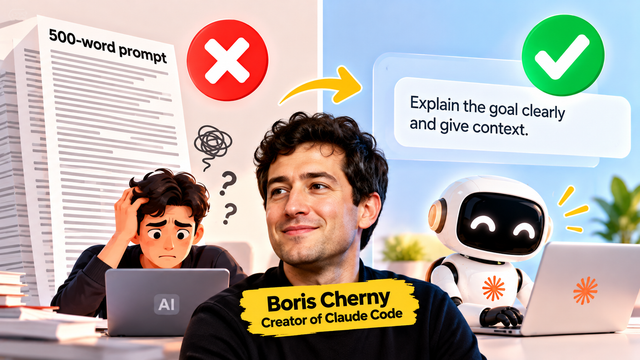
Stop Over-Engineering AI Prompts: Claude Code Creator Boris Cherny Explains Why
Have you ever spent 10 or 15 minutes writing a detailed AI prompt, adding dozens of rules, formatting instructions and negative prompts, only to receive an average result?
You are not alone. Many AI users have been taught to write extremely detailed prompts to get the best possible output. But as AI models become more capable, the way we communicate with them may also need to change.
Boris Cherny, the creator of Claude Code at Anthropic, has recently shared a simpler approach: talk to Claude the way you would talk to a coworker. Instead of building an elaborate instruction system for every task, explain what you want to achieve and give the model enough context to work effectively.
His advice challenges the popular idea that every AI task needs a perfect, highly structured prompt. It also raises a useful question for creators, students and developers: are we spending too much time writing prompts and not enough time checking the results?
1. Who is Boris Cherny?
Boris Cherny is an engineer at Anthropic and the creator of Claude Code, an AI-powered coding tool designed to help developers work with software projects.
Claude Code can help users understand code, modify files, investigate errors and complete development tasks. Instead of only answering programming questions, it can work through a project using available tools and context.
That makes Cherny's advice particularly relevant to the shift from traditional chatbots toward AI agents. When an AI system can plan and execute several steps, specifying every small action may be less useful than defining the desired outcome.
His recent prompting advice, reported by technology publications, is straightforward: communicate naturally, avoid unnecessary scaffolding and give capable models room to work.
This does not mean that every AI model performs equally well with short prompts. It means users should consider the task and the model's capabilities before deciding how much instruction is necessary.
2. What does “stop over-engineering prompts” mean?
Over-engineering a prompt means adding more instructions, rules and formatting requirements than the task actually needs.
Imagine asking an AI to write a short explanation of machine learning.
An over-engineered prompt might specify the exact opening sentence, the order of every paragraph, the number of words in each section, the transitions between ideas, the vocabulary allowed and dozens of additional restrictions.
Some of these instructions may be useful. But others may simply repeat what the model already understands or restrict its ability to produce a natural answer.
A simpler prompt could be:
"Explain machine learning to a beginner. Use a familiar example, keep the language simple and include one practical application."
This gives the model three important things: the task, the intended audience and the desired style.
The model can then decide how to organize the explanation.
The difference is not that the second prompt contains no detail. It contains the detail that matters without dictating every step.
3. The old prompting method versus the newer approach
<box border radius="lg" padding={3} gap={3}> <box gap={1}> <title size="md">Old approach: micromanage everything</title> <row align="start" gap={2}> <icon name="x-circle" color="danger" size="xl" /> <box flex="1" gap={1}> Write a huge template, specify every step, repeat constraints and try to predict every possible mistake before the model begins. </box> </row> </box> <divider color="subtle" /> <box gap={1}> <title size="md">Better starting point: define the outcome</title> <row align="start" gap={2}> <icon name="check-circle" color="success" size="xl" /> <box flex="1" gap={1}> Explain the goal, provide relevant context, state essential constraints and evaluate the result. Add more instructions when a real problem appears. </box> </row> </box> </box>
This newer approach is especially relevant to agentic AI workflows, where a model may be able to decide how to complete a task rather than merely generate one response.
However, structured prompts remain useful for repeatable production workflows, complex technical tasks, strict output formats and applications where errors are costly.
The real lesson is to use the amount of structure the task needs, not to eliminate structure entirely.
4. Example one: writing a social media caption
Suppose you want to create an Instagram caption for an AI news Reel.
A long, over-engineered prompt
"Act as a professional Instagram growth strategist, social media expert, viral content creator, SEO specialist and audience psychologist. First, write a hook of exactly seven words. Then create a caption with three paragraphs, five emojis, six hashtags, two calls to action and one engagement question. Avoid these 17 words. Use a friendly but authoritative tone, optimize every sentence for retention and follow all the other rules below..."
A detailed template like this may be useful if you need an exact, repeatable format. But it can also introduce unnecessary restrictions for a simple caption.
A natural prompt
"Write an engaging Instagram caption for this AI news Reel. Explain the main development in simple English, start with a strong hook and end with a question. Keep it concise and suggest five relevant hashtags."
The second version gives the AI a clear objective, audience-friendly requirements and a practical length expectation.
You can review the output and request a change if needed:
"Make the hook more surprising and explain the benefit for Indian creators."
This iterative method lets you improve the result based on actual output instead of anticipating every possible requirement before starting.
5. Example two: creating an AI image prompt
AI image generation is another area where users often create very long prompts.
Detailed image prompts are sometimes necessary. Lighting, camera angle, composition, clothing, pose, background and aspect ratio can materially affect the result.
But not every image requires a paragraph of technical instructions.
Suppose you want a cinematic portrait of a woman wearing a traditional saree.
You could begin with:
"Create a realistic cinematic portrait of a young South Asian woman in an emerald-green saree with gold borders. Use warm evening light, a natural expression and a softly blurred background. Keep the composition elegant and uncluttered."
This communicates the subject, clothing, visual style and atmosphere.
After reviewing the result, you could refine it:
"Make the background brighter, show the saree border more clearly and use a wider composition."
The workflow becomes simple: describe the image, inspect the result and improve what is missing.
There is an important exception. If you need a highly consistent character across many images, a specific product design or a carefully controlled commercial visual, a reusable prompt template may still be valuable.
The aim is not to avoid detail. It is to avoid detail that does not improve the result.
6. Example three: asking AI to help with coding
Coding is where Cherny's advice becomes particularly interesting because Claude Code is designed to work with software projects.
Imagine you want to fix a bug in a website.
A highly prescriptive instruction might tell the AI exactly which files to open, which functions to inspect, which lines to change and the precise sequence of operations to follow.
That may be appropriate if you already know the cause of the bug. But if you do not know the cause, prescribing the solution too early can send the model down the wrong path.
A more outcome-focused request could be:
"Investigate why the login form fails when a user enters valid credentials. Identify the root cause, make the smallest safe fix and run the relevant tests. Explain what you changed and flag anything you could not verify."
This tells the agent what success looks like and gives it a way to check its work.
The important part is the validation requirement. The model should not simply produce a plausible explanation and declare the task complete; it should test the result where tools and project access allow it.
For production systems, you should still specify security requirements, testing expectations and any constraints that cannot be compromised.
7. Why context matters more than complicated wording
A short prompt can fail when it leaves out information the model needs.
For example, asking "Make this better" provides very little direction. Better in what way? More accurate, more readable, more persuasive or more visually appealing?
A useful prompt usually includes three elements:
Goal: What do you want the model to achieve?
Context: What information does it need to understand the task?
Constraints: What must it follow, avoid or preserve?
Consider a student asking for help with a presentation.
Weak prompt: "Make a PPT about computer networks."
More useful prompt: "Prepare a 10-slide presentation on TCP and UDP for a second-semester engineering student. Use simple explanations, one comparison table and practical examples. Keep each slide concise."
The improved prompt is not necessarily long. It is effective because it removes ambiguity.
For complex tasks, you may also need to provide reference files, sample outputs, acceptance criteria or information about the audience.
The best prompt is the one that supplies the information needed for the task, not necessarily the one with the most words.
8. The new workflow: goal, context, trust, inspect and iterate
For many everyday AI tasks, try this five-step workflow.
Step 1: Define the goal. Explain what you want to accomplish rather than immediately dictating every action.
Step 2: Provide context. Include relevant background, source material, audience details and examples.
Step 3: Set essential boundaries. Mention important requirements such as factual accuracy, privacy, formatting, budget or file restrictions.
Step 4: Let the model work. Allow the model to choose reasonable methods when the task does not require a specific procedure.
Step 5: Inspect and iterate. Review the output, identify weaknesses and ask for targeted improvements.
For example, instead of trying to write the perfect prompt for an AI news article, you could provide the official announcement, specify the intended audience and ask for a clear, accurate explanation. Then review the article for unsupported claims, missing details and readability.
This is a more practical way to use AI than assuming the first output will always be correct.
9. Does this mean prompt engineering is dead?
No. That would be an overstatement.
Prompt engineering still matters when tasks require precision, consistent formatting, specialized terminology, strict constraints or repeatable results.
For example, a business that generates hundreds of product descriptions may need a carefully designed template to maintain consistency. A developer using an API may need structured output, validation rules and explicit instructions. A research workflow may need precise source requirements.
The distinction is between useful structure and unnecessary complexity.
A prompt that defines a required JSON schema is not over-engineered merely because it is technical. A prompt that repeats the same instruction five times without improving compliance may be.
Likewise, a simple request can work well for brainstorming but may be inadequate for legal, financial, medical or safety-critical tasks.
As models improve, some older prompt tricks may become less necessary. Users should periodically test whether their templates still improve performance instead of assuming that longer instructions always produce better results.
10. How Indian students and creators can apply this advice
For students, start with the learning objective. Instead of asking an AI to follow an enormous teaching template, say what you need to understand and your current level.
For example:
"Explain principal component analysis as if I am a beginner. Use a simple everyday example, then give me three questions to test my understanding."
For creators, describe the audience, platform and purpose of the content. Then refine the hook, tone or format after seeing the first draft.
For developers, explain the desired outcome, provide relevant code or error messages and define how the result should be tested. Avoid giving the agent unrestricted access simply because you want it to work independently.
For small businesses, specify the business goal, customer context and important limitations. Review all outputs before sending messages, publishing content or taking financial action.
Across all these cases, the principle is the same: communicate clearly, provide the right context and use feedback to improve the output.
11. A simple experiment you can try today
Choose one task you perform regularly, such as writing a caption, explaining a technical topic or creating an outline.
Complete the task twice.
First, use your usual long prompt with all your familiar templates and rules.
Then try a shorter prompt that clearly states the goal, context and essential constraints.
Compare both outputs using the same criteria: accuracy, usefulness, quality, consistency and time required to reach the final result.
Do not judge only by the first response. One version may need fewer edits, while the other may produce a better result after refinement.
If the long prompt performs better, keep the useful structure. If the shorter prompt performs equally well, remove unnecessary instructions from your workflow.
This small experiment is more informative than assuming either long or short prompts are always superior.
Final takeaway
Boris Cherny's advice challenges AI users to rethink the habit of writing increasingly complicated prompts for every task. As models become more capable, a clear goal, relevant context and room to work may often be more useful than a rigid list of instructions.
But there is no universal rule that every prompt should be short. Complex tasks still need precise requirements, reliable source material and proper verification.
For creators, students and developers, the practical lesson is simple: stop optimizing prompts for length and start optimizing them for results. Explain what you need, inspect what the AI produces and add detail where it genuinely helps.
Source: The Times of India — Claude Code creator Boris Cherny shares prompting advice.