Replit Free Mode Cinematic: AI Coding Just Changed
Replit Free Mode removes credit costs from everyday AI work, giving creators more room to build, test and experiment.
By singamankitha
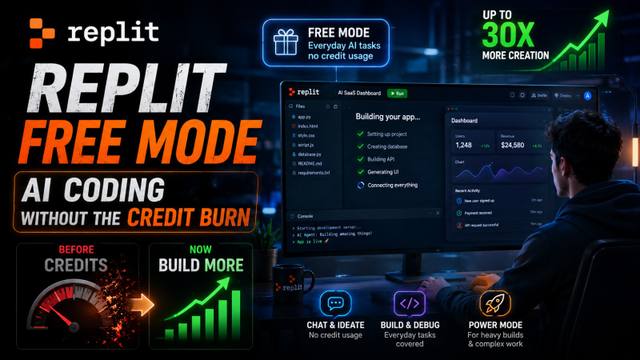
Replit Free Mode: AI Coding Without Constant Credit Anxiety
Imagine you're building an app with AI.
You have an idea.
You open Replit.
You start chatting with the AI, asking questions, changing the interface, fixing small bugs and exploring different ideas.
Then you look at your usage.
Credits are disappearing.
So you stop experimenting.
You stop asking questions.
You start thinking twice before giving the AI another prompt.
That is exactly the kind of friction Replit is trying to remove with its new Free Mode.
On August 18, 2026, Replit announced Free Mode, a new way to use Replit Agent where everyday activities such as chatting, ideation and routine tasks no longer consume credits. Replit says the change can give Core subscribers up to 30× more creation capacity than before, while also providing up to 30 hours of chat per month.
And this isn't just another small feature update.
It represents a bigger shift in the economics of AI-powered software development.
The Problem With Credit-Based AI Coding
AI coding tools have become incredibly powerful.
You can describe an application in natural language and get working software.
You can ask AI to create a landing page.
Build a dashboard.
Create a database.
Fix a bug.
Change the design.
Add authentication.
Connect an API.
Generate documentation.
The problem is that every AI interaction has a cost.
For users, that cost is often represented through credits, usage limits or model allowances.
That creates a psychological barrier.
You might know exactly what you want to ask the AI, but you hesitate because you're thinking:
“Is this prompt worth spending credits on?”
That's not necessarily the best environment for creativity.
When people are building something new, experimentation matters.
You want to be able to say:
“Try this.”
“No, that's not right.”
“Make it simpler.”
“Try another design.”
“Actually, let's change the entire layout.”
“Can you explain why this isn't working?”
“Let's test another approach.”
Those small interactions can eventually lead to a much better product.
Replit's Free Mode is designed to make those everyday interactions less costly in terms of usage.
What Is Replit Free Mode?
Replit describes Free Mode as a way to use Agent for everyday work without consuming credits.
It is powered by OpenAI's GPT-5.6 Luna, according to Replit's announcement.
The idea is simple.
Use Free Mode for the lightweight, everyday parts of building.
That includes things like:
Chatting with the AI
Brainstorming ideas
Exploring possibilities
Getting suggestions
Asking questions
Making routine changes
Working through smaller tasks
Then, when the project requires significantly more computational effort, Replit can move you toward other modes.
This creates a tiered approach to AI development.
Free Mode → everyday work
Power Mode → more demanding work
Max Mode → complex, high-performance work
Replit says Power Mode uses cost-optimized models for everyday tasks, while Max Mode is intended for more complex work, deeper reasoning and longer builds.
That's actually a pretty interesting strategy.
Instead of treating every AI request as equally expensive, the platform is separating routine work from expensive work.
The 30× Number Is the Big Headline
The number Replit is emphasizing is 30×.
According to Replit, Core subscribers can create up to 30 times more than before by using Free Mode.
But don't misunderstand that number.
It doesn't mean you suddenly receive unlimited access to every powerful AI model.
It means everyday tasks can be handled through Free Mode without consuming the same type of usage credits, while heavier work still has limits and can use other Agent modes.
That's an important distinction.
The better way to understand the announcement is:
Replit is trying to reserve expensive AI usage for expensive work.
Your simple questions shouldn't necessarily cost the same as a massive codebase change.
And that makes a lot of sense.
Think of It Like an AI Development Budget
Imagine you have ₹1,000 to spend on building an app.
Would you spend the entire amount asking basic questions?
Probably not.
You would want to save your budget for the tasks that actually require serious resources.
Replit is essentially applying that idea to AI usage.
Use the lightweight layer for:
Brainstorming
You have an idea for an app and want to explore features.
Debugging
You have a small problem and want help understanding it.
UI changes
You want the button moved, the spacing changed or the layout improved.
Documentation
You want the AI to explain what your code does.
Planning
You want to think through the architecture before starting a major build.
Then save the more powerful modes for:
Large architectural changes
Complex refactoring
Longer builds
Deep reasoning
High-value production work
This could become a much more efficient way of working with AI.
Why This Matters for Vibe Coding
This update is especially interesting for the rise of vibe coding.
Vibe coding is essentially the idea that you can describe what you want in natural language and use AI to help create software without manually writing every line of code.
For beginners, experimentation is everything.
A new builder might not know the difference between a frontend component and a backend API.
They may not understand why their database isn't working.
They might not know how authentication works.
They need to ask questions.
A lot of questions.
If every small question feels like it is consuming a limited resource, beginners may use AI less than they otherwise would.
Free Mode potentially changes that behavior.
Instead of thinking:
“I need to conserve credits.”
The user can think:
“Let's figure this out.”
That is a much better environment for learning.
Replit Is Also Changing the Interface
The announcement isn't only about pricing.
Replit says it has redesigned the experience so users can move between simple conversations and more complex creation without constantly switching contexts.
That matters because building software isn't a single activity.
You might spend five minutes brainstorming.
Then ten minutes researching.
Then twenty minutes building.
Then another ten minutes debugging.
Then you might completely change your idea.
Replit wants all of those activities to happen inside the same environment.
The company's broader pitch is that Agent understands the context of your work and can help you move from planning and ideation into actual creation.
So Free Mode isn't just about saving credits.
It's part of a larger attempt to make Replit feel like an always-available AI development partner.
This Could Change the AI Coding Competition
Here's where things get interesting.
AI coding platforms are no longer competing only on model intelligence.
They're competing on how much useful work you can actually get done.
Two platforms might have similarly capable models.
But if Platform A makes you constantly worry about usage while Platform B lets you freely experiment with everyday tasks, users may naturally prefer Platform B.
That changes the question.
Instead of:
“Which platform has the smartest model?”
People start asking:
“Which platform lets me build the most?”
That's a much more practical question.
And for creators, students, freelancers and startup founders, practical value often matters more than benchmark scores.
But There Is Still a Catch
Free Mode does not mean unlimited AI coding.
Replit says Core and Pro users can use Free Mode until they reach their usage limits, which reset every five hours. Users can then continue with Power or Max modes.
So the headline:
“Replit removed AI credits”
is catchy, but technically incomplete.
A more accurate statement is:
“Replit removed credit consumption for everyday work inside Free Mode, subject to usage limits.”
That's the distinction worth understanding before deciding whether this is a revolutionary pricing change or simply a smarter allocation of AI resources.
In my view, the second description is more accurate — but that still makes it an important change.
What Should You Use Free Mode For?
If you're using Replit to build apps, don't waste your expensive AI usage on simple tasks.
Use Free Mode aggressively for everyday work.
For example:
Step 1 — Brainstorm
Ask the AI to help you turn your rough idea into a feature list.
Step 2 — Plan
Discuss the user flow and basic architecture.
Step 3 — Prototype
Start building the simple version.
Step 4 — Iterate
Use everyday interactions to refine the UI and experience.
Step 5 — Debug
Use lightweight assistance for smaller issues.
Step 6 — Escalate
When you reach a genuinely difficult technical problem, move to a more powerful mode.
This is basically the same strategy you would use with a human development team.
You wouldn't bring your most expensive specialist into every five-minute discussion.
You use the right resource for the right problem.
What This Means for Students
For students learning AI-assisted development, this could be particularly useful.
The biggest mistake beginners make is trying to build everything in one giant prompt.
That's not how good software development works.
You need to experiment.
Ask questions.
Make mistakes.
Try again.
Understand why something broke.
Change your approach.
Free Mode makes that type of iterative learning more practical.
Instead of treating every conversation as an expensive operation, everyday interaction becomes part of the development process.
That could make AI-powered coding less intimidating for beginners.
The Bigger Picture
Replit's Free Mode is part of a larger trend across AI products.
As models become more capable and inference becomes more efficient, companies are looking for better ways to balance:
Capability
Cost
Usage
User experience
The future may not be about giving everyone unlimited access to the most expensive model.
It may be about intelligently deciding which model or computing level should handle each task.
Simple task?
Use the efficient layer.
Complex task?
Use the powerful layer.
Huge project?
Use the highest-performance option.
That could ultimately make AI tools cheaper and more useful at the same time.
The AI Coding Economy Is Changing
Replit's announcement points toward a future where the value of an AI coding platform isn't measured only by the model it uses.
It's measured by what you can actually create with it.
If you can brainstorm freely, experiment quickly, build prototypes and save expensive model usage for the tasks that truly need it, the entire economics of AI development start to look different.
And that's why this update is more important than it first appears.
Replit isn't simply saying:
“Here's another feature.”
It's saying:
“Don't worry about paying for every small thought. Use AI throughout the creative process, and save the expensive intelligence for the work that actually needs it.”
For vibe coders, students, creators and indie developers, that's a pretty powerful idea.
The next AI coding battle may not be won by whoever has the smartest model.
It may be won by whoever lets people create more with less friction.
And with Free Mode, Replit is clearly betting that the future of AI coding isn't about counting every interaction.
It's about how much you can actually build.
Source: Replit, “Replit Introduces Free Mode to Expand What is Possible with AI,” published August 18, 2026 and updated August 19, 2026.