OpenAI Adds Ultrafast Mode to GPT-6.1 Sol
OpenAI's reported Ultrafast mode for GPT-6.1 Sol targets faster token generation through the Responses API. Learn what developers should know.
OpenAI Adds Ultrafast Mode to GPT-6.1 Sol: What Developers Need to Know
Introduction: Why AI Response Speed Matters
Artificial intelligence tools are becoming an important part of software development, automation, customer support, and digital business. Developers use AI assistants to explain code, generate solutions, summarize information, and connect different software systems.
As these applications become more interactive, response speed becomes increasingly important. A useful answer that arrives quickly can make an application feel smooth and responsive. Delays, on the other hand, can interrupt a user's workflow, especially when an application depends on several AI-generated steps.
On October 8, 2026, OpenAI reportedly introduced an Ultrafast mode for GPT-6.1 Sol through its Responses API. According to the supplied announcement summary, the option is intended to reduce the time between generated output tokens.
This update is important to understand because it concerns how an existing model serves requests rather than introducing an entirely new model.
For developers building AI-powered products, a performance option can influence the experience of using a tool. However, faster token generation does not automatically mean that every request will finish sooner or that the total cost will be lower.
The practical value depends on the application, request size, processing requirements, rate limits, and other factors.
1. What Is Ultrafast Mode?
Ultrafast mode is described as a service option for GPT-6.1 Sol when used through OpenAI's Responses API.
An API allows one software application to communicate with another. In this case, a developer can integrate a supported AI model into an application instead of asking users to open a separate chatbot.
For example, a developer might build a coding assistant inside an editor, a customer-support application, or an automation system that processes information and generates a response.
The model receives the request and generates output. The application then presents that output to the user or uses it in a larger workflow.
According to the supplied report, Ultrafast mode aims to reduce the delay between generated tokens. Tokens are small units of text that language models process and produce. They may represent complete words, parts of words, punctuation, or other text units.
When a model generates a response, the time between successive output tokens influences how quickly text appears.
Reducing that delay can make streaming responses feel faster, particularly in interactive applications where users watch the answer appear progressively.
The setting is therefore best understood as a performance option for a supported API workflow, rather than a new model with entirely different capabilities.
Developers should consult the official documentation to confirm its current availability and configuration requirements before using it in production.
2. Understanding the Difference Between Token Speed and Total Response Time
One of the most important details in this announcement is the difference between token-generation speed and end-to-end latency.
Imagine asking an AI assistant to explain a short piece of code.
The application sends the request to the API. The service processes the input, generates a response, and returns the output to the application.
Several stages contribute to the total time:
Network communication between the application and service.
Processing of the input.
Time before the first output token appears.
Time required to generate the remaining tokens.
Any additional processing performed by the application.
Ultrafast mode is described as targeting the delay between generated output tokens. That is only one part of the complete process.
For example, a request might still take time because it contains a large amount of input, requires additional tool calls, or involves application-side processing.
A short response may already be quick enough that the difference is barely noticeable. A longer streamed response may make differences in token-generation speed more apparent.
This is why developers should measure the complete user experience rather than relying on a single performance claim.
Useful measurements include time to first token, total response time, output quality, and the time required to complete the user's actual task.
3. How Developers Could Use Ultrafast Mode
If the option is available to a developer's account and workload, faster token generation could be useful in several applications.
Interactive coding assistants
Coding assistants often generate explanations, suggest edits, and help developers understand unfamiliar functions.
A more responsive output stream could make an editor-based assistant feel smoother. Developers could begin reading a suggestion sooner and spend less time waiting for the response to appear.
However, overall coding productivity depends on more than text speed. The quality of the suggestion, the amount of editing required, and whether the code works correctly are equally important.
Customer-support assistants
An AI support assistant may answer common questions, explain a process, or help a customer locate information.
In conversational interfaces, long pauses can make an assistant seem unresponsive. Faster generation could improve the experience when output-generation delay is a significant part of the wait.
The application must still provide accurate answers and escalate complicated or sensitive cases appropriately.
AI automation workflows
Some automation systems use an AI model to interpret a request, create a plan, or generate structured output.
If a workflow makes several sequential model calls, delays can accumulate. Reducing the generation time of individual steps may help in some circumstances.
However, the total improvement depends on how much of the workflow is actually spent generating tokens. External API calls, database queries, validation, and other operations can remain bottlenecks.
Interactive learning tools
An educational application might use an AI model to explain programming concepts, generate practice questions, or provide feedback.
A faster response could help conversations feel more natural. Students would still need explanations that are correct, clear, and appropriate for their level.
These examples illustrate potential applications, not a guarantee that every application will become faster.
4. How to Configure the Reported API Setting
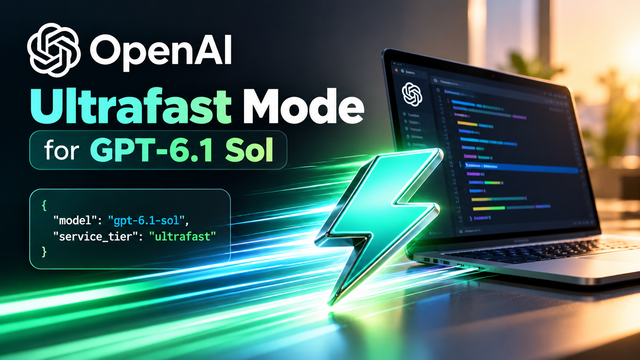
The supplied news brief identifies the existing model as gpt-6.1-sol and the reported service-tier setting as ultrafast.
The following snippet illustrates the configuration described in that brief. Confirm the current API documentation and supported parameter names before running it.
const response = await client.responses.create({
  model: "gpt-6.1-sol",
  service_tier: "ultrafast",
  input: "Explain this Python function briefly."
});
This example shows the reported model and service-tier values. It is not a guarantee that the configuration is currently enabled for every account or SDK version.
Developers should verify the following before implementation:
The model identifier is valid for their account.
The service tier is supported by the endpoint they are using.
Their account has access to the option.
Applicable rate limits and pricing are understood.
The application handles API errors and unsupported settings.
The response is validated before being used in a critical workflow.
A production application should also handle timeouts, retries, and unexpected outputs carefully. Retrying a request blindly can create additional delays or duplicate actions if the surrounding workflow is not designed properly.
5. Who Can Access Ultrafast Mode?
According to the supplied announcement summary, Ultrafast mode is available to API users subject to rate limits.
API availability does not necessarily mean unlimited access. A developer's account, selected model, request volume, and applicable service conditions can affect how the feature is used.
Developers should check the current official documentation for account eligibility, supported regions, and any restrictions.
The report also mentions global processing and US/EU data-residency options. Organizations should verify the exact conditions associated with each option rather than assuming that a particular setting automatically satisfies every data-protection requirement.
For companies handling customer records, financial information, health-related information, or confidential source code, data residency and processing arrangements can be important parts of the technical evaluation.
A team should understand where its requests are processed, what data it sends, and which contractual and regulatory requirements apply to its use case.
6. Does Faster Generation Mean Lower Costs?
Not necessarily.
A performance improvement and a price reduction are different things.
The total cost of an AI-powered application can depend on input tokens, output tokens, model pricing, service-tier conditions, the number of requests, and any additional services used in the workflow.
A faster setting might help an application deliver a better experience, but developers should not assume that it is cheaper unless the published pricing terms support that conclusion.
For example, a business operating a customer-support assistant might evaluate three factors:
How quickly the assistant responds.
Whether its answers remain accurate and useful.
How much it costs to resolve a customer request.
If response time improves but the cost per completed task rises substantially, the business must decide whether the improvement is worthwhile.
Likewise, a low-cost workflow may not need an accelerated service tier if users are already satisfied with its response speed.
The correct choice depends on the application's requirements rather than the word "Ultrafast" alone.
7. What About Rate Limits and Reliability?
Rate limits are important because applications can generate large volumes of requests, especially during peak periods.
If a service tier has specific rate limits, developers need to design their applications around those conditions.
A sudden increase in traffic may cause delays or rejected requests if an application exceeds its available capacity.
Good engineering practices include monitoring usage, handling rate-limit responses, using appropriate backoff strategies, and providing a useful fallback experience.
Reliability also involves measuring performance under realistic conditions. A feature that performs well during a small test may behave differently under high traffic or with longer prompts.
Developers should evaluate typical requests as well as unusually large or complex ones.
For applications that must respond within a strict deadline, it is especially important to test failure scenarios and define what happens if the model cannot return a result in time.
8. Why This Update Matters for Indian Developers and Startups
India has a growing community of software developers, AI learners, automation builders, and technology startups.
Many are exploring products such as coding assistants, business workflow tools, educational applications, and customer-support automation.
For these builders, API performance can influence the usability of a product.
A developer creating an interactive programming tutor may want answers to appear quickly enough to support a natural conversation. A startup building an AI assistant for internal business processes may want to reduce delays across a multi-step workflow.
An API performance option could be worth testing in these situations if the developer has access to it.
However, speed is only one part of product quality. Indian startups also need to consider infrastructure costs, multilingual support, data handling, reliability, and the needs of their target customers.
For example, an application serving users in several Indian languages should evaluate response quality in those languages instead of focusing exclusively on English-language benchmarks.
Similarly, a customer-support product must be judged by whether it resolves the customer's problem accurately, not just by how quickly it generates text.
The most useful approach is to identify the actual bottleneck and measure whether the new setting improves the outcome that matters to users.
9. How to Test Whether Ultrafast Mode Helps Your Application
Developers can evaluate an API performance option through a controlled benchmark.
First, select a representative set of requests from the intended application. These should reflect the real workload rather than only short demonstration prompts.
Second, run comparable tests using the available service configurations, while following the API's terms and rate limits.
Third, measure the time to first token and the total time required to receive a complete response. For streaming applications, also measure the delay between generated tokens if the required instrumentation is available.
Fourth, check output quality. Faster responses are not helpful if the answers become less useful or require more corrections.
Fifth, record the cost and reliability of each configuration using the applicable pricing and usage information.
Finally, compare the results against the application's requirements. A developer building a live coding assistant may prioritize responsiveness, while a background report-generation system may care more about cost and accuracy.
This process helps turn a marketing or release-note claim into a practical engineering decision.
10. Limitations Developers Should Keep in Mind
Ultrafast mode should not be treated as a universal solution to slow AI applications.
The option is described as reducing delays between output tokens, but several factors can continue to affect total response time.
Long input prompts may require substantial processing. Tool calls may involve other services. Network conditions can vary. An application may need to validate or transform the response before presenting it to the user.
A faster output stream also does not guarantee more accurate reasoning, better code, or improved factual reliability.
Developers should continue to validate generated code, test AI-produced recommendations, and apply appropriate safeguards to automated actions.
They should also avoid promising users a particular speed improvement until they have measured it under realistic conditions.
The distinction between a performance setting and a model capability is important: changing the way a model is served does not automatically mean the model has gained new knowledge or reasoning abilities.
Conclusion: Measure the Improvement Before Adopting It
OpenAI's reported Ultrafast mode for GPT-6.1 Sol highlights an important area of AI development: making model interactions more responsive for applications that depend on generated output.
The setting is described as an API performance option intended to reduce the time between generated tokens. It is not a new model, and it does not guarantee that every request will finish faster.
For developers, the best next step is to verify the official documentation, confirm access and rate limits, and benchmark the option against their existing workflow.
Indian startups and students building AI-powered products can use the same approach: identify the real bottleneck, measure latency and quality, and select the configuration that best serves the application.
In AI engineering, faster output is useful when it improves the overall experience. The strongest implementation is one that balances speed, accuracy, reliability, and cost.
Source: OpenAI API release notes — https://openai.com/products/release-notes/