GitHub Copilot Can Now Control Desktop Apps
GitHub Copilot can now use computer controls to interact with desktop applications, moving AI coding agents beyond code into real computer automation.
Source: https://github.blog/changelog/2026-10-01-github-copilot-can-now-interact-with-desktop-apps/
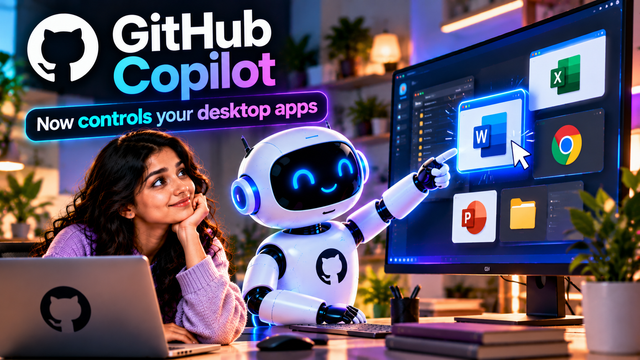
GitHub Copilot is moving beyond writing and editing code. GitHub has introduced computer-use capabilities that allow Copilot to interact directly with desktop applications on behalf of the user.
The feature is available in public preview in GitHub Copilot CLI and the GitHub Copilot app on macOS and Windows. Instead of being limited to code, terminal commands and browser-based workflows, Copilot can now interact with applications through computer controls.
The basic workflow looks like this:
Prompt → Copilot → Opens app → Clicks and types → Completes task → Verifies result
Copilot's computer-use capabilities include reading accessible application content and visual context, clicking controls, entering and editing text, pressing keys, scrolling, dragging and navigating workflows across applications.
This is particularly interesting for software that does not expose an API, command-line interface or MCP integration. Instead of requiring developers to build a separate integration for every application, an AI agent can interact with the application's user interface much like a person would.
For example, a user could ask Copilot to work through an expense-report workflow, update content in a presentation, summarize notifications in a browser or move information through a desktop application.
That changes the role of a coding agent.
The earlier generation of AI coding assistants focused mainly on:
Write code → Edit files → Run commands → Explain results
Computer-use agents can potentially extend that workflow to:
Understand the goal → Open applications → Interact with the interface → Perform actions → Check the result
There are also important safety controls. GitHub says Copilot asks for approval before controlling an application, while users can review or reset applications they have chosen to always allow. On macOS, the feature requires Accessibility and Screen Recording permissions, and organizations can disable it through managed settings.
Developers can enable computer use in Copilot CLI with /computer on. In the GitHub Copilot app, it can be enabled from the Computer Use setting.
The bigger trend is important: AI agents are moving from simply generating digital content to actually operating software.
That means the future coding agent may not just write the code for an application. It could open the application, perform actions, test the workflow and verify whether the task was completed successfully.
In other words, AI is moving from “write code for my computer” toward “use my computer to get the job done.”