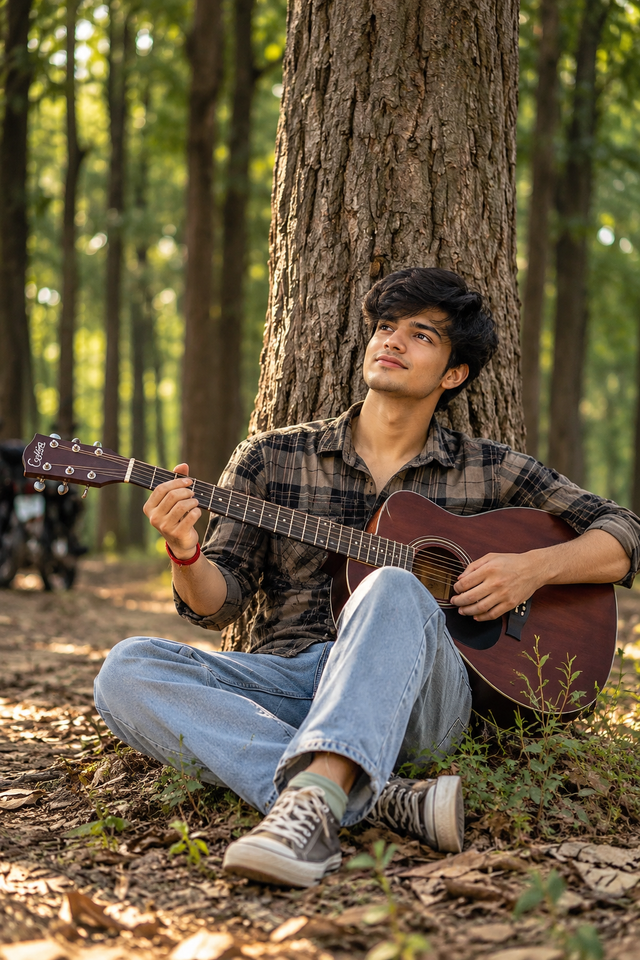
Realistic Guitar Portrait in a Dreamy Forest
Create a cinematic portrait of a young man playing an acoustic guitar while sitting against a large tree in a peaceful forest, with soft sunlight and a natural aesthetic.
NBy @nomulagangothri
- Views
- 1
- Copies
- 0
- Made for
- ChatGPT
- Difficulty
- beginner
- – likes
- – saves
- – shares
Generate an ultra-realistic, high-detail 8K-style portrait of a stylish young South Asian man with a unique original face, thick textured black hair, a light beard, and a gentle smile. He is sitting cross-legged at the base of a large, rugged tree in a peaceful woodland, playing a dark mahogany acoustic guitar. He wears a brown-and-black plaid shirt with rolled-up sleeves, light blue relaxed-fit jeans, casual grey sneakers, and a simple red thread bracelet. His fingers rest naturally on the guitar strings as he looks slightly upward with a calm, thoughtful expression. Surround him with tall forest trees, dry leaves, small plants, and soft sunlight filtering through the branches. Use warm natural lighting, realistic skin texture, detailed guitar wood grain, accurate hands and fingers, authentic fabric folds, cinematic depth of field, professional outdoor photography, balanced composition, and subtle earthy color grading. Vertical 3:4 portrait, sharp focus, photorealistic details, natural proportions, premium editorial quality. Avoid distorted hands, extra fingers, duplicate limbs, artificial skin, text, logos, and watermarks.
Creator's tips
Use ChatGPT image generation for a natural forest portrait. Describe the guitar position and hand placement clearly to improve realism. For a different mood, try soft morning mist or muted monochrome colors. Keep the background slightly blurred so the face and guitar remain the main focus.
Recreate this in 4 steps
- 1Copy the promptTap “Copy prompt”, or open it straight in ChatGPT.
- 2Make it yoursFill any blanks and add one-tap tweaks — your photo, aspect ratio, more cinematic light.
- 3Paste it into ChatGPTFor a personal likeness, upload your photo first, then paste the prompt.
- 4Refine and shareRegenerate a couple of times, keep your favourite, and share the result.
Questions people ask
It was written for ChatGPT, and also works in Gemini and Midjourney. Use the one-tap tweaks to adjust aspect ratio for each tool.
Yes. Upload your photo in the AI tool first, then add the “Keep my face” tweak before copying so the prompt asks it to keep your facial features.
Yes — every prompt on Prompt Mandi is free to copy. Check your AI tool's own terms before using generated images commercially.