Night Glow Portrait – Cinematic AI G
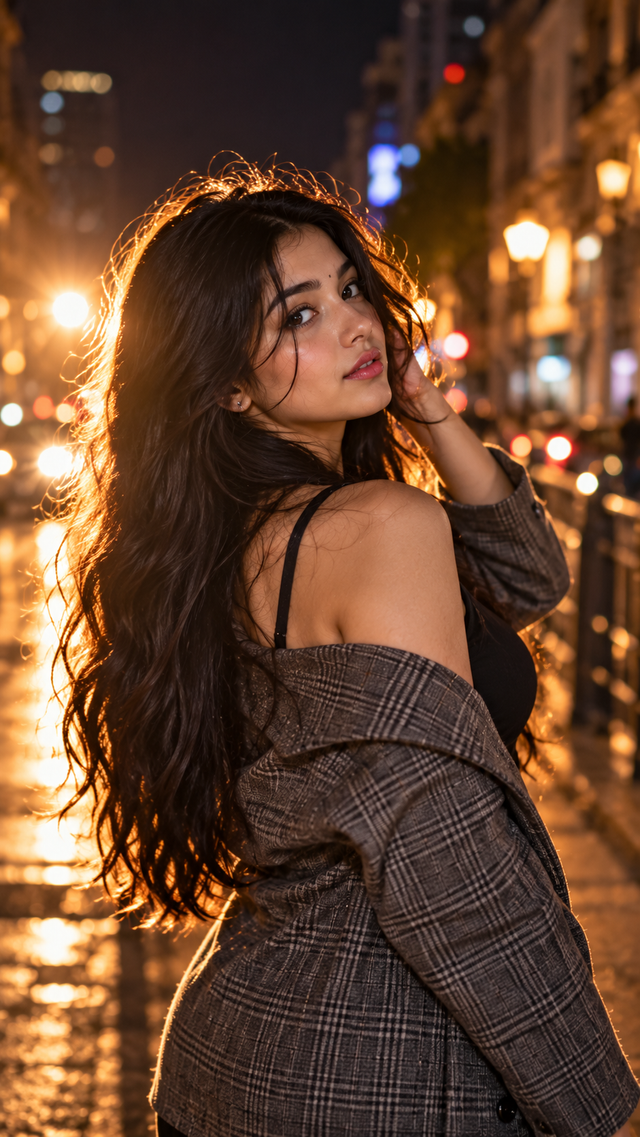
A cinematic night portrait with glowing rim light, long hair, warm bokeh and a stylish urban mood.
NBy @nomulagangothri
- Views
- 10
- Copies
- 0
- Made for
- ChatGPT
- Difficulty
- beginner
- – likes
- – saves
- – shares
Create a photorealistic cinematic night portrait of a beautiful young woman with a unique AI-generated face and natural attractive features. She has long, flowing dark hair and subtle elegant makeup. She is wearing a stylish grey plaid jacket over a black outfit. Pose her slightly turned away from the camera, looking back over her shoulder with one hand gently touching her hair.
Use strong warm backlighting behind her to create a glowing rim light around her hair and shoulders. Set the scene on a dark urban street at night with warm blurred city lights and beautiful bokeh in the background. Moody cinematic atmosphere, realistic skin texture, natural facial details, shallow depth of field, professional photography, soft film grain, high detail, photorealistic, 4K, vertical 9:16 composition, no text, no watermark.
Creator's tips
Make this night portrait look like a premium fashion campaign. Hook: Start with a close-up of her eyes, then reveal the full over-the-shoulder pose. AI animation: Add gentle hair movement and subtle reflections on the wet street. Lighting: Preserve the warm golden rim light around her hair against the dark urban background. Camera: Use a slow cinematic push-in with shallow depth of field. Pro move: Add soft film grain, ambient city sounds, and a smooth fade-out for a luxurious editorial finish.
Recreate this in 4 steps
- 1Copy the promptTap “Copy prompt”, or open it straight in ChatGPT.
- 2Make it yoursFill any blanks and add one-tap tweaks — your photo, aspect ratio, more cinematic light.
- 3Paste it into ChatGPTFor a personal likeness, upload your photo first, then paste the prompt.
- 4Refine and shareRegenerate a couple of times, keep your favourite, and share the result.
Questions people ask
It was written for ChatGPT, and also works in Gemini and Midjourney. Use the one-tap tweaks to adjust aspect ratio for each tool.
Yes. Upload your photo in the AI tool first, then add the “Keep my face” tweak before copying so the prompt asks it to keep your facial features.
Yes — every prompt on Prompt Mandi is free to copy. Check your AI tool's own terms before using generated images commercially.