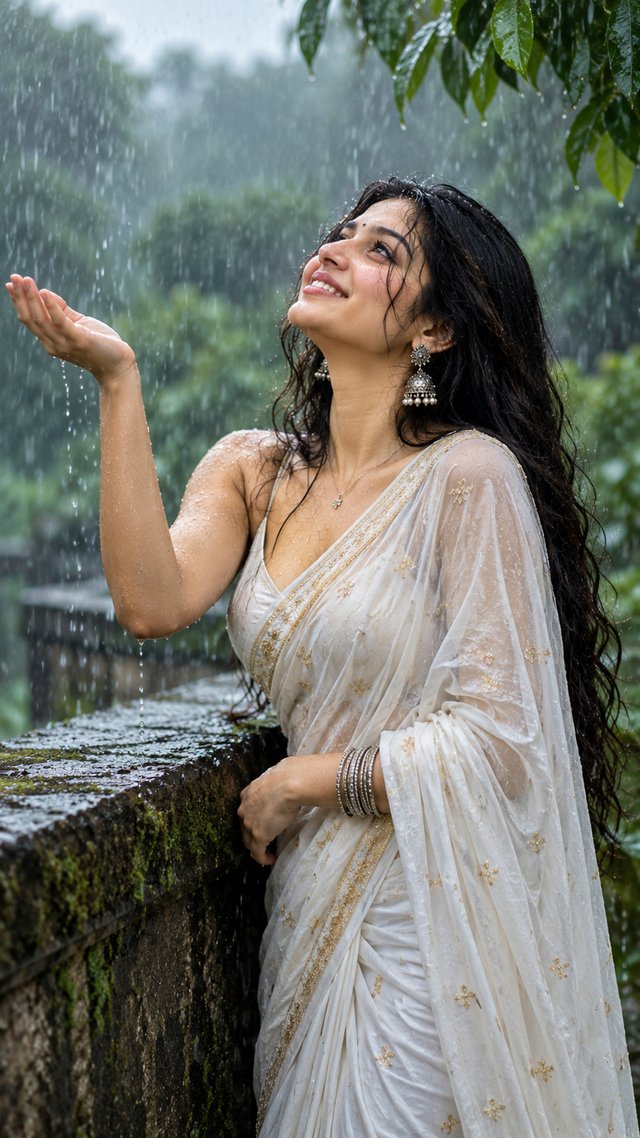
Monsoon Smile — Cinematic Rain Portrait
A joyful Indian woman enjoying a gentle monsoon shower, captured with natural beauty, flowing wet hair, and dreamy cinematic lighting.
ABy @admin
- Views
- 37
- Copies
- 1
- Made for
- Claude
- Difficulty
- beginner
- – likes
- – saves
- – shares
Create a highly detailed photorealistic cinematic portrait of a beautiful young South Asian woman enjoying a gentle monsoon rain in a lush green outdoor setting. She stands beside an old moss-covered stone ledge, tilting her face upward toward the rain with a genuine joyful smile. Her long dark hair is naturally wet and slightly tousled, with delicate strands resting across her face and shoulders. Tiny realistic raindrops glisten on her skin and hair.

She wears an elegant lightweight white traditional Indian saree with subtle golden detailing, naturally damp from the rain, along with intricate silver jhumka earrings, a delicate necklace, slim bangles, and a tiny black bindi.

One hand is raised gracefully with the palm open, catching falling raindrops. Capture natural body posture, realistic hands and fingers, authentic facial expression, detailed wet fabric texture, individual hair strands and realistic water droplets.

Set the scene in a lush monsoon forest with deep green leaves, soft mist, blurred foliage and natural rain in the background. Moody cinematic atmosphere, soft diffused daylight, shallow depth of field, beautiful natural bokeh, realistic skin texture, subtle film grain, 85mm lens photography, professional editorial portrait, rich green and neutral tones, emotional and refreshing mood, ultra-photorealistic, HDR, 8K detail.

Vertical 9:16 composition, elegant framing, face in sharp focus, background softly blurred, no text, no watermark, no logo, no UI elements.
Creator's tips
Use soft diffused monsoon light, realistic raindrop highlights, and shallow depth of field to emphasize her joyful expression, wet hair, flowing white saree, and lush green rainy atmosphere.
Recreate this in 4 steps
- 1Copy the promptTap “Copy prompt”, or open it straight in ChatGPT.
- 2Make it yoursFill any blanks and add one-tap tweaks — your photo, aspect ratio, more cinematic light.
- 3Paste it into ClaudeFor a personal likeness, upload your photo first, then paste the prompt.
- 4Refine and shareRegenerate a couple of times, keep your favourite, and share the result.
Questions people ask
It was written for Claude, and also works in ChatGPT and Gemini. Use the one-tap tweaks to adjust aspect ratio for each tool.
Yes. Upload your photo in the AI tool first, then add the “Keep my face” tweak before copying so the prompt asks it to keep your facial features.
Yes — every prompt on Prompt Mandi is free to copy. Check your AI tool's own terms before using generated images commercially.
Aspect Ratio: 9:16
Style: Photorealistic cinematic portrait
Lighting: Warm golden rim light
Camera Look: 85mm portrait lens, shallow depth of field
Mood: Elegant, warm, confident, timeless
Quality: Ultra HD / 8K
Composition: Over-the-shoulder close-up