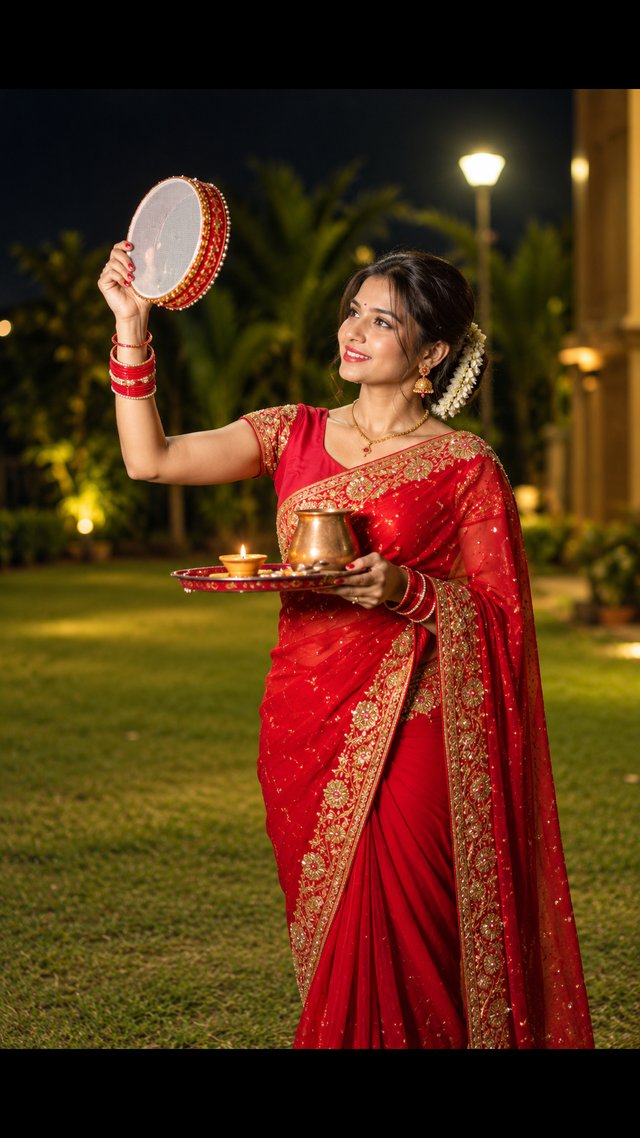
Karwa Chauth Red Saree Portrait – ChatGPT AI Prompt
Create a stunning, photorealistic Karwa Chauth portrait of a woman in a red saree holding a decorated sieve and puja thali in a beautiful nighttime garden.
NBy @nomulagangothri
- Views
- 0
- Copies
- 0
- Made for
- ChatGPT
- Difficulty
- beginner
- – likes
- – saves
- – shares
Generate an ultra-realistic 4K-style portrait of a beautiful South Asian woman celebrating Karwa Chauth in an elegant outdoor garden at night. Give her a completely original face, natural facial features, realistic skin texture, expressive eyes, and a warm, genuine smile. She wears a rich red saree with intricate golden embroidery, a matching blouse, traditional gold jewelry, red glass bangles, a small red bindi, and fresh white jasmine flowers wrapped around her neatly styled bun. She raises a beautifully decorated round Karwa Chauth sieve in one hand and holds a traditional red puja thali with a glowing diya and a brass kalash in the other. Her gaze is directed lovingly toward the sieve and the moon. Add lush green garden surroundings, soft warm garden lamps, golden bokeh, cinematic nighttime lighting, realistic shadows, detailed saree fabric, natural hands and fingers, professional DSLR photography, shallow depth of field, sharp facial focus, rich festive colors, and an elegant composition. Full-length vertical 9:16 portrait, photorealistic details, premium fashion photography, high-resolution 4K output. Avoid distorted hands, extra fingers, artificial skin, blurry jewelry, text, watermarks, and logos.
Creator's tips
Best results: Use ChatGPT image generation and describe the red saree, jasmine hairstyle, decorated sieve, and nighttime garden lighting clearly. Try a 9:16 vertical composition for Instagram Reels. Common mistake: Overexposing the diya and garden lights can hide jewelry details and make the face look unnatural. Keep the face sharp and the background softly blurred.
Recreate this in 4 steps
- 1Copy the promptTap “Copy prompt”, or open it straight in ChatGPT.
- 2Make it yoursFill any blanks and add one-tap tweaks — your photo, aspect ratio, more cinematic light.
- 3Paste it into ChatGPTFor a personal likeness, upload your photo first, then paste the prompt.
- 4Refine and shareRegenerate a couple of times, keep your favourite, and share the result.
Questions people ask
It was written for ChatGPT, and also works in Gemini and Midjourney. Use the one-tap tweaks to adjust aspect ratio for each tool.
Yes. Upload your photo in the AI tool first, then add the “Keep my face” tweak before copying so the prompt asks it to keep your facial features.
Yes — every prompt on Prompt Mandi is free to copy. Check your AI tool's own terms before using generated images commercially.