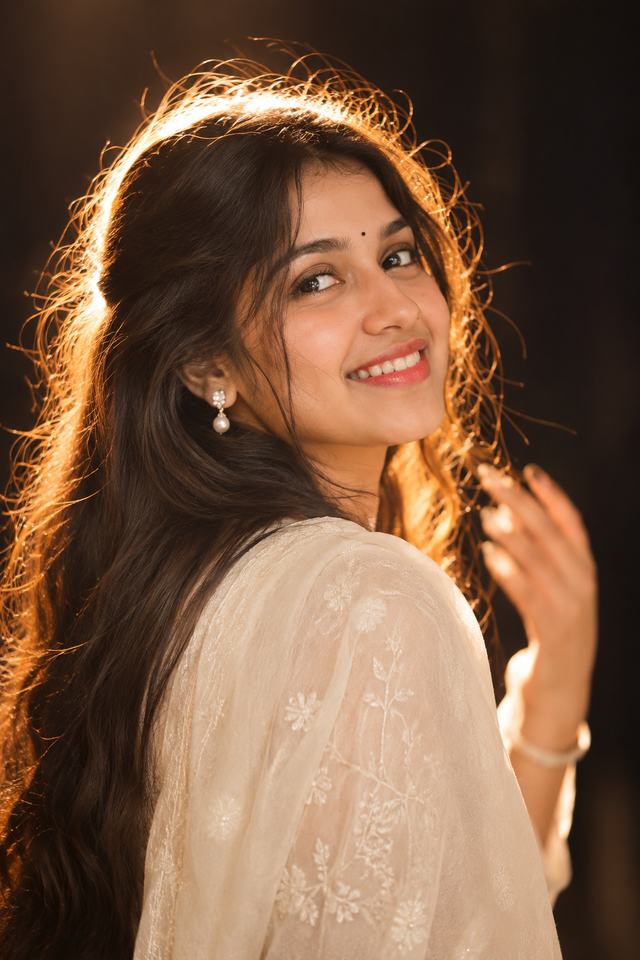
Golden Hour Portrait – Dreamy Ivory Outfit Photography
Create a dreamy, photorealistic portrait of a young South Asian woman in an elegant ivory outfit, smiling over her shoulder with beautiful golden backlighting and soft cinematic details.
NBy Gangothri
- Views
- 2
- Copies
- 1
- Made for
- ChatGPT
- Difficulty
- beginner
- – likes
- – saves
- – shares
Create an ultra-realistic, high-resolution 8K-style cinematic portrait of a beautiful young adult South Asian woman with a unique and natural AI-generated face. Capture her in a graceful over-the-shoulder pose, gently turning her head toward the camera with a warm, genuine smile.

She has long, thick, naturally wavy dark hair flowing freely down her back, with a few delicate strands framing her face. She wears an elegant ivory-white traditional outfit made from soft, lightweight fabric with subtle floral embroidery and delicate shimmering details. Add small elegant pearl drop earrings and a tiny black bindi for a graceful traditional appearance.

Her right hand is gently raised near her hair, creating a relaxed and natural candid pose. Her expression should look joyful, confident, and effortlessly beautiful.

Lighting and atmosphere: Warm golden backlighting creates a glowing rim around her hair and shoulders. Use soft diffused highlights on her face, gentle shadows, a dark blurred background, and a dreamy amber atmosphere.

Photography style: Professional DSLR portrait photography, 85mm lens, f/1.8 aperture, shallow depth of field, creamy bokeh, natural skin texture, realistic facial details, delicate fabric texture, cinematic warm color grading, and editorial fashion photography.

Composition: Vertical 2:3 portrait, medium close-up framing, face in sharp focus, hair flowing naturally, elegant shoulder pose, realistic proportions, premium photography quality.

Generate a completely different original AI face. Avoid plastic-looking skin, excessive retouching, distorted hands, extra fingers, unnatural smiles, blurry eyes, text, and watermarks.
Creator's tips
For the best results, use ChatGPT Image Generation or another photorealistic image model. Add the phrase "warm golden rim lighting" to create the beautiful glowing hair effect. Keep the background dark and blurred to highlight the face. Avoid excessive skin smoothing for a natural photographic finish.
Recreate this in 4 steps
- 1Copy the promptTap “Copy prompt”, or open it straight in ChatGPT.
- 2Make it yoursFill any blanks and add one-tap tweaks — your photo, aspect ratio, more cinematic light.
- 3Paste it into ChatGPTFor a personal likeness, upload your photo first, then paste the prompt.
- 4Refine and shareRegenerate a couple of times, keep your favourite, and share the result.
Questions people ask
It was written for ChatGPT, and also works in Gemini and Midjourney. Use the one-tap tweaks to adjust aspect ratio for each tool.
Yes. Upload your photo in the AI tool first, then add the “Keep my face” tweak before copying so the prompt asks it to keep your facial features.
Yes — every prompt on Prompt Mandi is free to copy. Check your AI tool's own terms before using generated images commercially.