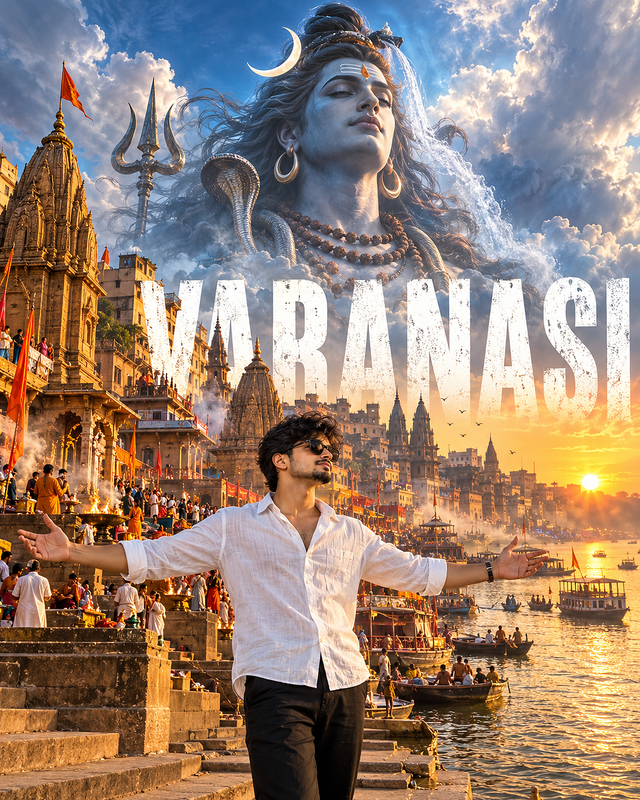
Divine Varanasi – cinematic protrait
Experience the sacred soul of Varanasi through a cinematic travel masterpiece. Standing before the iconic Ganga Ghats beneath the divine presence of Lord Shiva, this ultra-realistic artwork captures the city's spiritual energy.
- Views
- 12
- Copies
- 1
- Made for
- Gemini
- Difficulty
- beginner
- – likes
- – saves
- – shares
Ultra-realistic premium travel poster, cinematic devotional travel photography. A stylish young Indian man stands in the foreground with open arms wearing a white linen shirt, black trousers, black sunglasses.
Behind him are the famous Varanasi Ghats, stone steps leading to the Ganga River, ancient temples, pilgrims, boats floating on the river, evening spiritual ambience.
Massive distressed white typography reading "VARANASI" behind the ghats.
Above the city floats a gigantic divine portrait of Lord Shiva, serene expression, crescent moon, flowing Ganga from His hair, rudraksha ornaments, soft blue divine aura emerging from glowing clouds.
Golden sunrise over the Ganges, temple bells atmosphere, divine fog, volumetric lighting, cinematic composition, luxury travel campaign, HDR realism, 8K
masterpiece, 4:5 aspect ratio.
Creator's tips
**Pro Tip:** For a premium devotional travel poster, combine golden sunrise reflections on the Ganga with cool blue tones around Lord Shiva. Keep the man in the foreground sharply focused, with his arms naturally extended, while preserving the ghats, temples, and boats as recognizable background details. Use bold, distressed white “VARANASI” typography with strong contrast and enough spacing to remain readable. Avoid excessive glow, cluttered lettering, and oversaturated colors for a professional travel-campaign look.
Recreate this in 4 steps
- 1Copy the promptTap “Copy prompt”, or open it straight in ChatGPT.
- 2Make it yoursFill any blanks and add one-tap tweaks — your photo, aspect ratio, more cinematic light.
- 3Paste it into GeminiFor a personal likeness, upload your photo first, then paste the prompt.
- 4Refine and shareRegenerate a couple of times, keep your favourite, and share the result.
Questions people ask
It was written for Gemini, and also works in ChatGPT and Midjourney. Use the one-tap tweaks to adjust aspect ratio for each tool.
Yes. Upload your photo in the AI tool first, then add the “Keep my face” tweak before copying so the prompt asks it to keep your facial features.
Yes — every prompt on Prompt Mandi is free to copy. Check your AI tool's own terms before using generated images commercially.