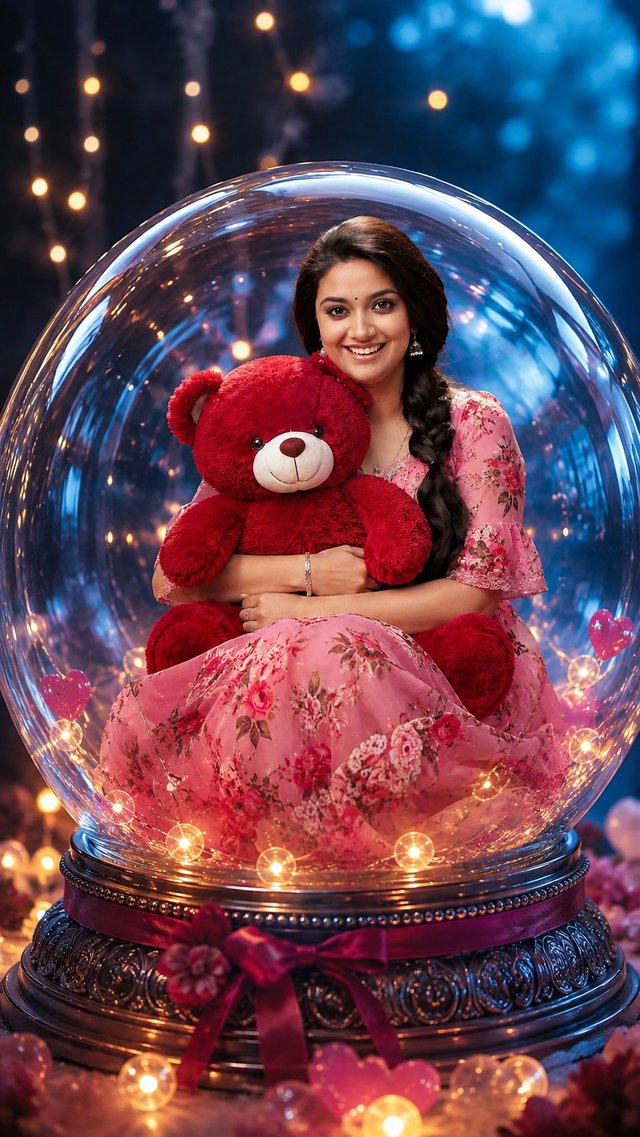
Cute Teddy Bear Glass Globe Portrait | AI Photo Transformation ✨
Turn your photo into a dreamy glass globe portrait with a cute red teddy bear, pink floral dress, glowing fairy lights, and magical cinematic vibes. 🧸💕✨ Create yours with your own photo!
GBy @growwithsneha__
- Views
- 42
- Copies
- 2
- Made for
- ChatGPT
- Difficulty
- beginner
- – likes
- – saves
- – shares
Create a realistic portrait using the reference image. Keep the girl's real face and features unchanged. Show her wearing a beautiful pink floral dress with matching earrings, gently hugging a large fluffy red teddy bear. Place them inside a glossy transparent glass sphere with realistic reflections. Use a soft dreamy blue background, warm fairy lights and a cozy magical atmosphere. High-detail, realistic photography, soft cinematic lighting, elegant and cute look.
Creator's tips
**Pro Tip:** For a magical, premium portrait, preserve the girl’s original facial features and natural expression while adding a soft pink floral dress and a plush red teddy bear with realistic fur texture. Make the transparent glass sphere look truly three-dimensional with subtle reflections, delicate highlights, and natural light refraction. Use a dreamy blue background with warm fairy-light bokeh to create a beautiful color contrast. Keep the girl and teddy bear sharply focused, with soft cinematic lighting and realistic shadows. Avoid distorted hands, artificial skin smoothing, excessive reflections, and a cloudy glass effect for a polished, photorealistic finish.
Recreate this in 4 steps
- 1Copy the promptTap “Copy prompt”, or open it straight in ChatGPT.
- 2Make it yoursFill any blanks and add one-tap tweaks — your photo, aspect ratio, more cinematic light.
- 3Paste it into ChatGPTFor a personal likeness, upload your photo first, then paste the prompt.
- 4Refine and shareRegenerate a couple of times, keep your favourite, and share the result.
Questions people ask
It was written for ChatGPT, and also works in Gemini and Midjourney. Use the one-tap tweaks to adjust aspect ratio for each tool.
Yes. Upload your photo in the AI tool first, then add the “Keep my face” tweak before copying so the prompt asks it to keep your facial features.
Yes — every prompt on Prompt Mandi is free to copy. Check your AI tool's own terms before using generated images commercially.
How to Create This Image ✨
STEP 1 — Copy the Prompt
Copy the Image Prompt from the Prompt Section and paste it into ChatGPT.
STEP 2 — Add Your Photo
Upload your own photo along with the prompt.
STEP 3 — Create Your Image
Send the prompt and photo together. ChatGPT will create your cute teddy bear glass globe portrait. 🧸💕✨