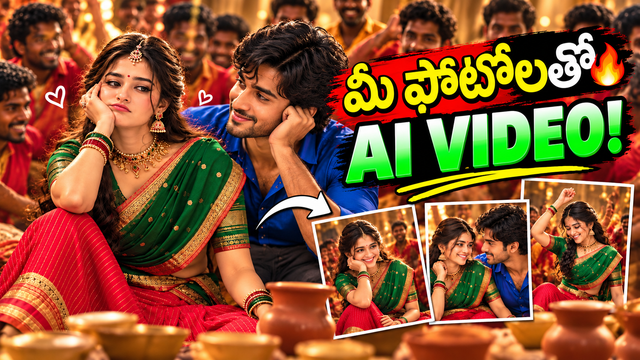
Cinematic Yeshanagula song Couple AI Video Prompt
Create a realistic cinematic AI couple video using your own characters, traditional outfits, romantic expressions and a festive Indian atmosphere.
NBy @nomulagangothri
- Views
- 0
- Copies
- 0
- Made for
- Gemini
- Difficulty
- beginner
Use the reference video as the main guide for the dance movements,
timing, energy, camera movement and overall scene flow.

Replace the original male and female characters with the uploaded
male and female character sheets.

Keep the characters consistent throughout the video.
Preserve the same dance movements, expressions, poses,
costume style and overall festive atmosphere.

Keep the result realistic, cinematic, natural and high quality.
Do not make it look animated, cartoonish or 3D.

Keep both faces clear and consistent throughout the video.
Creator's tips
Works best in higgsfield.ai with clear character reference photos. Use full-body images and keep the same outfit, face and hairstyle. If the face changes, add “keep the face and identity unchanged” and regenerate.
Recreate this in 4 steps
- 1Copy the promptTap “Copy prompt”, or open it straight in ChatGPT.
- 2Make it yoursFill any blanks and add one-tap tweaks — your photo, aspect ratio, more cinematic light.
- 3Paste it into GeminiFor a personal likeness, upload your photo first, then paste the prompt.
- 4Refine and shareRegenerate a couple of times, keep your favourite, and share the result.
Questions people ask
It was written for Gemini, and also works in ChatGPT and Midjourney. Use the one-tap tweaks to adjust aspect ratio for each tool.
Yes. Upload your photo in the AI tool first, then add the “Keep my face” tweak before copying so the prompt asks it to keep your facial features.
Yes — every prompt on Prompt Mandi is free to copy. Check your AI tool's own terms before using generated images commercially.
STEP 1 — Reference video ready cheyyali 🎥
Screenshot lo first point:
Reference Video
Ante manaki nachina dance video kavali.
Em cheyyali?
YouTube/Instagram lo dance video select cheyyi.
Aa video ni 30 seconds lopu oka small clip ga ready chesko.
Full song/video upload cheyyakunda, manaki kavalsina dance portion matrame teesuko.
Video clear quality lo undali.
Person/dancer body movements clear ga kanipinchali.
❌ Common mistake
Mistake: 2–3 minutes full video upload cheyyadam.
Fix:
Manaki kavalsina best dance portion ni short clip ga cut cheyyi.
❌ Another mistake
Dancer face/body half ga cut ayyi unte motion transfer confuse avvachu.
Fix:
👉 Full body movement visible unna shot select cheyyi.
STEP 2 — Mana characters create cheyyali 👩🏻🦱👨🏻
Idi very important.
Screenshot lo:
CHARACTER SHEETS
Ante manam video lo use cheyyaboye female character and male character ki separate reference images prepare cheyyali.
Female character
Nuvvu upload chesina green-red traditional dress photo laanti dress style kavali ante, aa dress ni reference ga use cheyyachu.
But screenshot process prakaram:
First → ChatGPT lo character photo prepare cheyyali.
Photo clear ga undali.
Photo ela undali?
Female:
Full body
Face clear
Body clear
Dress clear
Good lighting
Hands/legs visible
Blur kakunda
Male:
Full body
Face clear
Dress clear
Good lighting
STEP 3 — Character Sheet ante enti? 🤔
Idi chala simple.
Suppose female character ni teesukunnam.
Oka normal photo:
👩 → face okkate manaki kanipistundi.
But AI ki dance cheppali ante:
Front view
Side view
Different poses
Full body
ila character gurinchi ekkuva information unte better.
Anduke Character Sheet create chestham.
Simple example:
        👩
      FRONT

   👩 → SIDE

   👩 ← SIDE

      👩
     BACK
AI ki:
"Ee same girl different poses lo kuda same person"
ani ardham avuthundi.
STEP 4 — ChatGPT lo Character Sheet create cheyyali
ChatGPT open cheyyi.
Nee female photo upload cheyyi.
Then ila prompt pettachu:
“Create a realistic full-body character sheet of this woman. Keep the same face, hairstyle, body proportions and traditional green-red saree outfit. Show front view, left side view, right side view and back view. Keep the character consistent and photorealistic.”
⚠️ Important
Nuvvu face change avvakudadhu anukunte:
Prompt lo:
Keep the same face and identity consistent.
ani compulsory ga pettu.
STEP 5 — Male character ki same process
Male photo upload cheyyi.
Same type prompt:
“Create a realistic full-body character sheet of this man. Keep the same face, hairstyle, body proportions and clothing. Show front, left side, right side and back views. Keep the character consistent and photorealistic.”
Then:
Final ga nee daggara:
📁 Female Character Sheet
📁 Male Character Sheet
rendu images undali.
STEP 6 — Higgsfield open cheyyali
Screenshot lo next:
Open cheyyi.
Login avvu.
Then search/select:
Genjutsu
Then:
Motion Transfer
Select cheyyali.
STEP 7 — Reference Video upload 🎥
Ippudu manam first ready chesina dance video upload cheyyali.
Screen lo:
“Add a reference video to extract motion”
ani option untundi.
👉 Akkada mana dance video upload cheyyi.
Important:
Reference video = dance movement kosam
Character Sheet = mana person kosam
Idi confuse avvakudadhu.
STEP 8 — Characters add cheyyali 👩🏻 + 👨🏻
Screenshot lo very important line:
Add your characters, products, or clothes
Akkada:
First character
👉 Female Character Sheet upload cheyyi.
Second character
👉 Male Character Sheet upload cheyyi.
Order important ayye chance undi.
So:
Character 1 = Female
Character 2 = Male
ani clear ga petti proceed avvu.
STEP 9 — Prompt ON cheyyali 📝
Screenshot lo:
“Prompt” option ON chesi...
Ante Prompt option ni ON cheyyali.
Then prompt box lo instruction paste cheyyali.
Nee screenshot lo unna main prompt meaning:
Reference video dance, timing, energy, camera movement, background and overall scene flow ni follow cheyyali. Original hero/heroine ni remove chesi, mana uploaded characters ni use cheyyali. Dance moves, expressions, costume style and overall vibe maintain cheyyali. Result realistic and cinematic ga undali.
Nenu simple ga better prompt isthe:
Use the reference video as the main guide for the dance movements,
timing, energy, camera movement and overall scene flow.

Replace the original male and female characters with the uploaded
male and female character sheets.

Keep the characters consistent throughout the video.
Preserve the same dance movements, expressions, poses,
costume style and overall festive atmosphere.

Keep the result realistic, cinematic, natural and high quality.
Do not make it look animated, cartoonish or 3D.

Keep both faces clear and consistent throughout the video.
STEP 10 — Generate 🎬
Everything check chesaka:
👉 Generate
press cheyyi.
Then AI:
Reference Video movement
⬇️
Your Female Character
⬇️
Your Male Character
⬇️
New AI Video
create cheyyadaniki try chestundi.
🚨 Ippudu IMPORTANT — Common mistakes & fixes
❌ MISTAKE 1: Face every frame lo change avvadam
Example:
First frame 👩🏻
Next frame 👩🏻🦱
Next frame different girl 😭
Enduku?
Character reference weak ga undachu.
Fix:
Clear full-body character sheet use cheyyi.
Same face multiple views lo undela sheet create cheyyi.
Prompt lo “keep the same face and identity consistent” add cheyyi.
❌ MISTAKE 2: Female dress change avvadam
Nuvvu green-red traditional dress ichav kada.
AI sometimes:
Green saree → red saree
Red saree → different dress
chesey chance untundi.
Fix:
Prompt lo:
Keep the exact same traditional green and red outfit, gold borders, jewellery and styling throughout.
ani add cheyyi.
❌ MISTAKE 3: Dance correct ga raakapovadam
Original dancer:
🙋 → 💃 → turn → hand movement
AI:
🙋 → weird hand → extra hand 😭
Enduku?
Reference video lo body movement clear ga lekapothe AI ki motion understand avvadu.
Fix:
Best dance clip select cheyyi.
Body full visible undali.
Too much camera shake unna video avoid cheyyi.
❌ MISTAKE 4: Hands / fingers weird ga ravatam 🖐️
AI videos lo idi common.
Fix:
Very fast hand movements unna reference shot avoid cheyyi.
Clear lighting use cheyyi.
Prompt lo:
Natural human hands and anatomically correct body proportions.
add cheyyi.
❌ MISTAKE 5: Male and female faces swap avvadam 😭
Sometimes female face male ki vellachu or opposite.
Fix:
Prompt lo explicitly:
Character 1 is the female. Character 2 is the male. Do not swap their identities.
ani pettu.
❌ MISTAKE 6: Character full body correct ga follow avvakapovadam
Character Sheet lo half-body photo matrame unte AI ki legs/clothes proper ga understand kakapovachu.
Fix:
Full-body character sheet create cheyyi.
Front + side + back views better.
❌ MISTAKE 7: Video artificial / cartoon la kanipinchadam
AI-generated look obvious ga untundi.
Fix:
Prompt lo:
Photorealistic, natural skin texture, realistic human movement, cinematic lighting, physically natural motion. Do not make it look animated or 3D.
add cheyyi.
❌ MISTAKE 8: Original hero/heroine faces accidentally remain avvadam
Reference video lo original people strongly visible unte AI vallani continue cheyyachu.
Fix:
Prompt lo:
Replace the original male and female performers completely with the uploaded characters. Do not retain their faces or identities.
ani pettu.
❌ MISTAKE 9: Too many characters confuse avvadam
Reference video lo 10–20 dancers unte AI ki main characters identify cheyyadam difficult avvachu.
Fix:
First attempt ki simple 5–15 sec shot try cheyyi.
Success ayyaka longer/bigger scene try cheyyi.
⭐ Nuvvu follow cheyyalsina exact order
Idi screenshot teesukoni save chesko 👇
① Dance Video
Short + clear reference clip
⬇️
② Female Photo
Clear full-body photo
⬇️
③ Female Character Sheet
Front + side + back
⬇️
④ Male Photo
Clear full-body photo
⬇️
⑤ Male Character Sheet
Front + side + back
⬇️
⑥ Higgsfield
Genjutsu → Motion Transfer
⬇️
⑦ Reference Video
Dance video upload
⬇️
⑧ Character 1
Female Character Sheet
⬇️
⑨ Character 2
Male Character Sheet
⬇️
⑩ Prompt ON
⬇️
⑪ Prompt paste
⬇️
⑫ Generate 🎬
❤️ One very important thing
Nuvvu upload chesina screenshot process explain chestundi, kani actual Higgsfield screen lo nee daggara ekkada problem vastundo screenshot lo kanipinchadu.
Nuvvu process follow chestunnappudu e step daggara error/mistake vastundo aa screen screenshot pampu. Nenu:
“ikkada ee button press cheyyi → ikkada ee photo pettu → ikkada ee option select cheyyi → ikkada ee prompt paste cheyyi”
ani step-by-step, chinna pillalaki cheppinattu guide chestha.