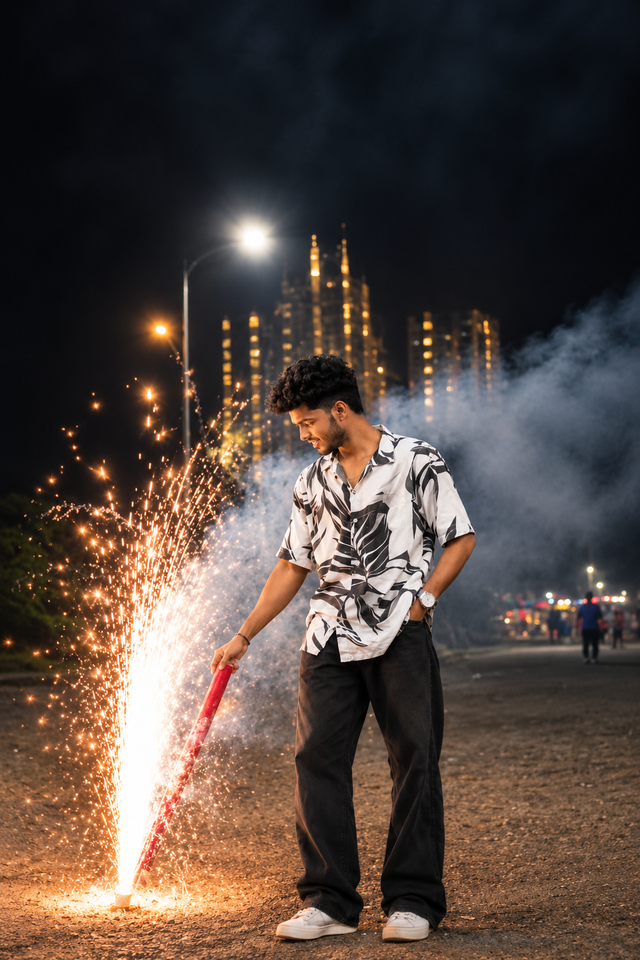
Cinematic Diwali Fireworks Portrait of a Stylish Man
Create a stunning cinematic Diwali portrait of a stylish young Indian man enjoying a spectacular fireworks display against a beautiful nighttime city skyline.
NBy @nomulagangothri
- Views
- 0
- Copies
- 0
- Made for
- ChatGPT
- Difficulty
- beginner
- – likes
- – saves
- – shares
Create an ultra-realistic, cinematic vertical 9:16 portrait of a handsome 24-year-old Indian man with a unique natural AI-generated face, standing outdoors on Diwali night. He is wearing a stylish black-and-white abstract printed casual shirt, loose black trousers, a wristwatch, and sneakers. He is looking down with a gentle smile at a beautiful golden fountain firework illuminating the ground nearby. Keep the fireworks at a safe distance from the subject. Add spectacular golden sparks, realistic smoke, glowing city buildings, and a beautiful nighttime skyline in the background. Use dramatic cinematic lighting, warm golden highlights, realistic skin texture, natural facial details, professional DSLR photography, shallow depth of field, sharp subject focus, rich contrast, and premium editorial color grading. Capture the complete outfit and full-body pose. Make the image photorealistic, detailed, and visually stunning in 8K quality. Use a completely different fictional AI-generated face. No text, no watermark, no logos, no extra fingers, and no distorted hands.
Creator's tips
Works best with ChatGPT image generation. Use a vertical 9:16 aspect ratio for Instagram Reels. Add cinematic golden lighting and realistic fireworks for a professional Diwali photography look. Avoid excessive smoke covering the subject's face.
Recreate this in 4 steps
- 1Copy the promptTap “Copy prompt”, or open it straight in ChatGPT.
- 2Make it yoursFill any blanks and add one-tap tweaks — your photo, aspect ratio, more cinematic light.
- 3Paste it into ChatGPTFor a personal likeness, upload your photo first, then paste the prompt.
- 4Refine and shareRegenerate a couple of times, keep your favourite, and share the result.
Questions people ask
It was written for ChatGPT, and also works in Gemini and Midjourney. Use the one-tap tweaks to adjust aspect ratio for each tool.
Yes. Upload your photo in the AI tool first, then add the “Keep my face” tweak before copying so the prompt asks it to keep your facial features.
Yes — every prompt on Prompt Mandi is free to copy. Check your AI tool's own terms before using generated images commercially.